
The importance of an in-house wiki
ARTICLESOFFICE PRACTICETHOUGHTS
Dimitar Pouchnikov
Originally published 27 May 2021. Updated 12 October 2026.
An architecture studio produces knowledge every day. A colleague resolves an awkward model exchange. A manufacturer explains why a surface needs to change. A drawing review reveals a better way to communicate a detail.
The files usually survive. The reasoning is easier to lose.
Months later, another project reaches the same problem. Someone remembers that we solved it before, but the answer is scattered between a folder, a message and a screenshot somewhere on a very large board. The studio has retained the evidence without making the lesson easy to reuse.
An in-house wiki gives that knowledge an address. Done well, it helps people find a method, understand its limits and improve it when the next project teaches us something new.
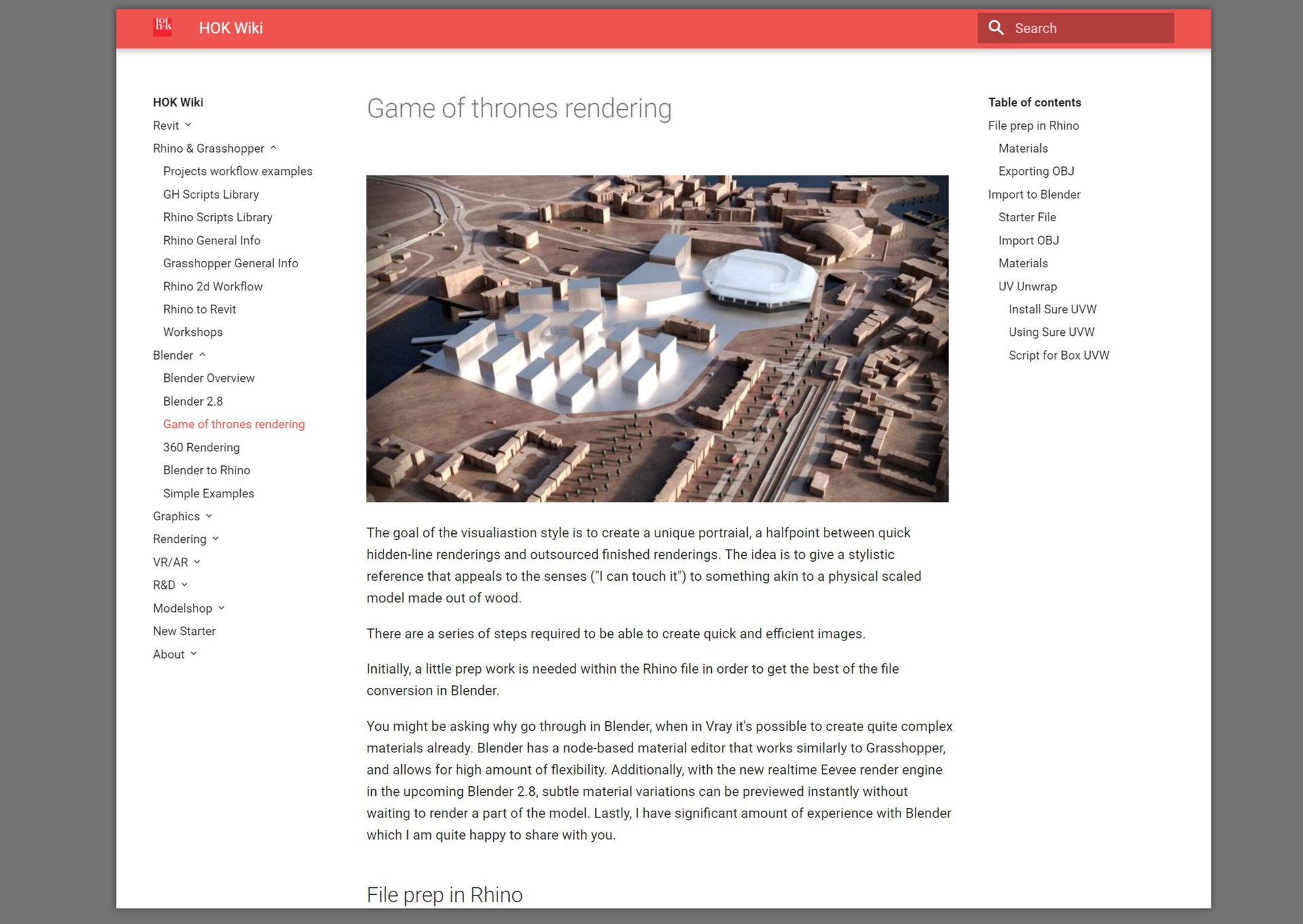
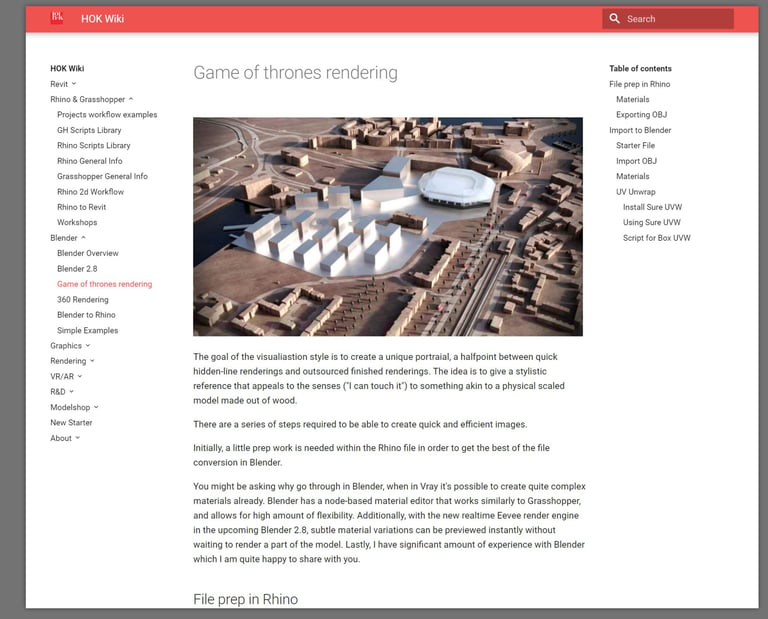
My earlier experiment at HOK explored this through an internal wiki assembled with MkDocs and Markdown. Offline access and portability were important priorities. The tools available have evolved, but the intention remains: make the knowledge each person develops easier for the whole team to use.
Recording the process helps us understand it
The act of documenting a workflow can be useful before anyone else reads it.
Explaining a process requires us to identify its inputs, sequence and intended result. We have to distinguish a necessary step from a habit, and a repeatable method from something that happened to work once.
Consider a model exchange between Blender and Rhino. “Export the model” leaves considerable room for interpretation. A useful page asks what geometry is being transferred, which units apply, what must remain editable and how the receiving model should be checked. A mesh reference and a model intended for further surface development have different requirements.
Writing those distinctions makes gaps visible. So does explaining the process to a colleague who has not followed the project.
I see this as part of design thinking: an opportunity to examine how we work while turning an individual discovery into something the team can use.
Capture the decision as well as the steps
A recipe tells someone what to do. A useful knowledge page also explains when to use it.
For an architectural detail, that might mean recording the constraint that shaped the geometry, the alternatives considered and the reason for the selected approach. For a software workflow, it might mean naming the application version, relevant settings and checks that reveal a failed transfer.
The page does not need to reproduce the entire project history. It needs enough context to support a sound decision.
A compact format works well:
Purpose: What problem does this solve?
Use when: What conditions make the method appropriate?
Inputs: What information or files are required?
Method: The essential steps, supported by selected images.
Check: How do we know the result is usable?
Limits: What failed, remains uncertain or needs specialist input?
Ownership: Who maintains this page, and when was it last reviewed?
A clear screenshot with a short explanation can be more useful than a long transcript of every operation. Keep source models and project files in their appropriate storage and link to them.
Ease of contribution determines whether the wiki survives
A technically elegant system can fail if updating a page feels like another project.
Readers need clear titles, sensible navigation and useful search. Contributors need a straightforward way to add an image, explain a change and correct an error. A new colleague should be able to use the system without first learning its entire architecture.
Start with the questions people already ask. How do we prepare a model for review? What belongs in a consultant exchange? Which information should accompany a fabrication package?
Organise the answers around the work. For an architectural practice, Concept, Developed Design and Documentation can provide a useful backbone, with materials, software and fabrication knowledge linked where relevant.
The aim is a structure that supports judgement. Too many folders and properties can make a wiki as difficult to navigate as the archive it was intended to improve.
Why Notion may be the best starting point
For a small design studio, a tool such as Notion is a convincing current choice because contributors can work directly in pages combining explanations, images and links. Its wiki features include page ownership and views for maintaining content. See Notion’s wiki documentation.
For UH Studio, it is also an existing working environment. Continuing there avoids a migration before we have established the habits that make documentation useful.
That makes Notion my practical starting recommendation for this studio, rather than a universal ranking of wiki software.
Its flexibility still needs boundaries. Give each subject a clear home, distinguish current guidance from experiments and archive superseded material. A page should help someone act; a growing collection of pages alone is not evidence that knowledge is becoming easier to find.
Share precisely, and understand who incurs a cost
A useful wiki can serve colleagues, consultants, manufacturers and clients without giving everyone the same access.
In Notion, named people can receive view, comment or edit access to particular pages. Parent-page sharing normally extends to subpages, so design access around separate audiences. A filtered database view should not be treated as a security boundary. See sharing and permissions.
Guests are intended for external collaborators and can access selected pages without a paid member seat. Members on paid plans incur charges. The current pricing table lists ten external guests on Free and unlimited guests on paid plans.
This can make collaboration with contractors or manufacturers economical. It does not establish a free-seat model for every employee in an in-house team. Choose roles according to the actual relationship and required capabilities; check the invitation type before sending it. See members and guests.
If the requirement is named access for many internal users without a per-user software licence charge, a self-hosted wiki deserves consideration.
The alternatives: what are we asking people to maintain?
BookStack is a strong candidate. Books, chapters and pages provide an understandable hierarchy; a visual editor and search support everyday contribution. It is self-hosted, MIT-licensed software, with roles and content-level permissions.
Wiki.js offers browser editing, search and configurable group access using page-path rules. It is worth considering when technical integrations and access configuration matter more than a simple handbook structure. A pilot should specify which release is being assessed.
Both remove the normal per-seat subscription from the self-hosted software. Neither removes the work of hosting, updates, backups and user administration. That work needs an owner and a realistic allowance of time.
Outline is worth evaluating for teams seeking a collaborative document experience. Its hosted service uses team-size pricing tiers; its self-hosted community edition has different capabilities, including the absence of the guest role. Compare pricing and user roles before choosing an edition.
Read the Docs: distinguish the website from the platform
The phrase “a self-hosted Read the Docs” can mean two different things.
One is a documentation website generated from source files. MkDocs, for example, turns Markdown into static pages that can be hosted on your own infrastructure. Sphinx is another documentation generator. This approach suits technical manuals and versioned workflows where authors are comfortable with source files and review before publication.
The other is running the full Read the Docs build-and-hosting platform. Its development-installation guide says that its setup is not recommended for production deployment. I would therefore avoid proposing that route as a simple office-wiki installation.
The hosted service also has distinct offerings: private repositories and restricted documentation belong to Read the Docs Business.
For a private static documentation site, authentication and authorisation must be supplied separately. Restricting the source repository does not, by itself, restrict the published website. Fine-grained access may require separate builds for different audiences.
The trade-off is contribution friction. Readers may enjoy a polished manual while authors manage Markdown, repository changes and a publishing pipeline. That is a sensible exchange for some teams, and an obstacle for others.
Can ChatGPT help maintain an open-source wiki?
AI assistance introduces another practical route: use ChatGPT to organise documentation, while keeping approved content in Markdown and publishing it through an open-source generator such as VitePress or MkDocs. The content remains portable, and Git can retain its revision history.
ChatGPT itself and the hosting services are proprietary. Open-source publishing software should therefore be distinguished from an entirely open-source system.
GitHub Pages can suit public studio guides. Standard Pages sites are public even when their source repository is private; restricted Pages hosting requires an eligible Enterprise Cloud configuration. An internal handbook needs a host that actually enforces access restrictions.
A ChatGPT Site is another possibility for a tailored knowledge portal. Where available, it supports invited viewers and separate editing access for workspace members. Whole-site sharing does not automatically provide granular permissions for individual handbook sections. Those controls, and any in-site contribution workflow, need deliberate design.
This route is especially attractive when a few people maintain the material and many people read it. A wiki with a familiar visual editor may remain easier when everyone contributes regularly.
A useful workflow is to record a process, ask AI to structure it and identify missing steps, have the person responsible review it, and publish the approved guide. AI can reduce editorial effort; responsibility for the guidance still belongs to the team.
How the wiki compares with a Miro board
Miro is valuable because design thinking is often spatial. Plans, sketches, references and alternatives can sit together, making relationships visible during a discussion.
That strength can become a retrieval challenge as a board accumulates material. It becomes harder to know which option is current, why it was selected and where a reusable lesson begins.
Miro does have native text search, including results and filters. Finding a matching object does not necessarily explain its status or recover the reasoning around it.
For an established working board, retain the visual record and extract the conclusion into a wiki page: the selected approach, its reasoning, unresolved questions and a link back to the relevant board location. This reduces repeated interpretation without copying every screenshot into two systems.
Miro sharing centres on boards, while a wiki can separate subjects into pages or sections with distinct access. Named Miro guests are free on supported plans, but editing rights depend on the plan.
Use the board to develop the conversation and the wiki to preserve what the team needs to understand later.
Choosing a platform
Notion: low contribution friction for a studio already using it; distinguish free external guests from paid members.
BookStack: a strong shortlist for an accessible private handbook with content permissions and no per-user software licence charge.
Wiki.js: useful when integrations and configurable access justify more setup.
MkDocs, Sphinx or VitePress: good for stable technical manuals and portable source files; private access and publishing need a defined workflow.
Read the Docs Business: repository-driven private documentation hosting; running its full platform yourself is a substantially larger undertaking.
Outline: worth a usability pilot; check edition and licence details before assuming every collaboration feature is included.
ChatGPT Sites: a potential tailored reader portal; contribution tools, granular permissions and applicable limits require evaluation.
Miro: strong for visual exploration; promote reusable conclusions into the wiki.
These fit assessments are editorial judgements based on documented capabilities, rather than hands-on testing of every platform.
Begin with one process worth repeating
Start with a workflow the team actually needs this month. Document it, ask another colleague to follow it and correct the parts that require additional explanation.
Then give the page an owner. Link it from the place people look for that answer. When the workflow changes, update the guidance and preserve the context of the change.
For UH Studio, my recommendation is to develop the existing Notion wiki and keep Miro as the visual working environment. Pilot BookStack if internal-user licensing or access requirements become restrictive. Consider an AI-assisted documentation site for stable technical material once someone can own its publishing workflow.
A good wiki makes a studio’s knowledge easier to explain, question and reuse. The important step is turning the next useful discovery into a clear page.
UH Studio
We are an architecture and design studio, passionate about beautiful design, improving cities, and education.
UH Studio Design Academy
Courses on architectural design, rendering, graphics, modeling, and more with Blender, Rhino, Geometry Nodes, Grasshopper, Affinity Photo, Affinity Design, Affinity Publisher, and Freecad
Community
Follow us for latest projects, professional tutorials, tips, and courses. Social Tags #uhstudio #dimitarsp #uhstudioacademy #blenderarchitecture
© 2026 All rights Reserved © UH Studio Ltd.
Registered in UK, company number: 17358435